
Project Overview
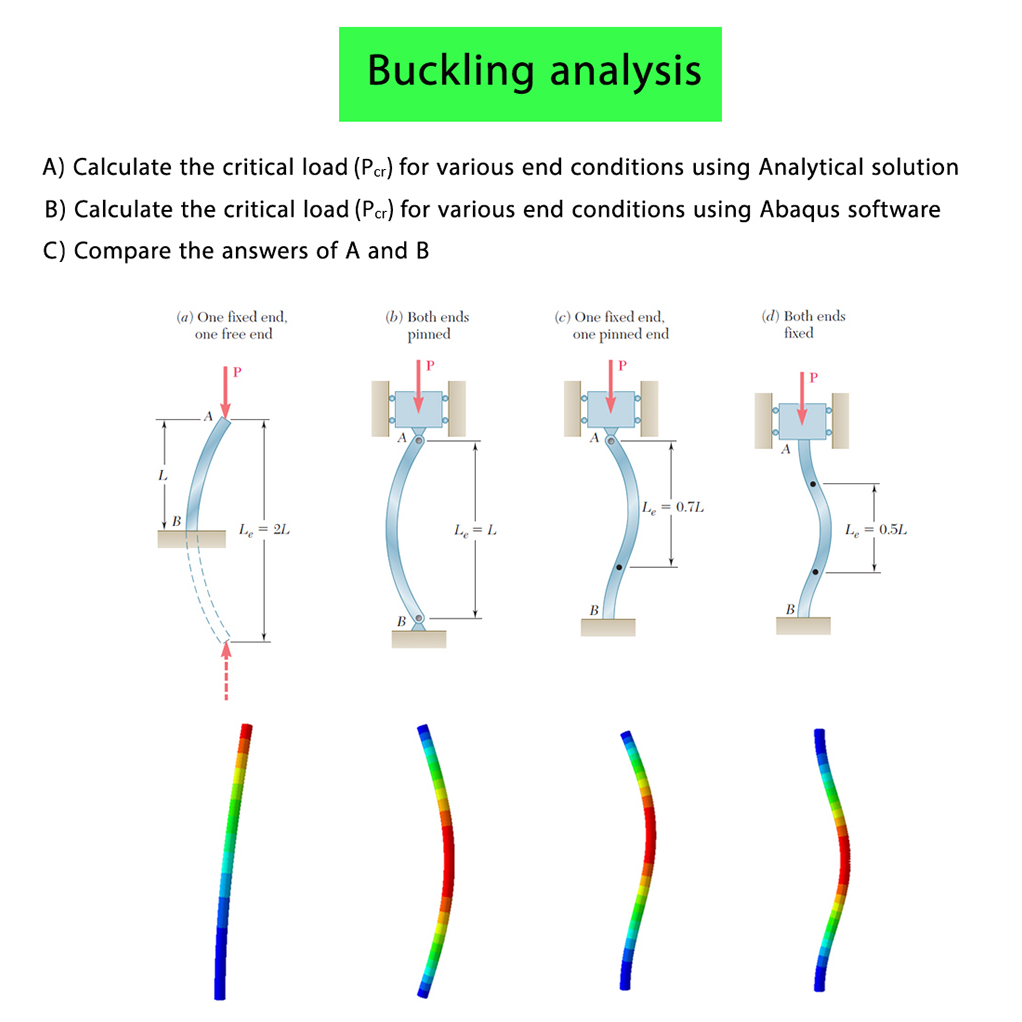
This tutorial focuses on the column buckling analysis for various end conditions using the Abaqus software and the Analytical Solution.
Four different column models with various end conditions are analyzed. The critical load is calculated for each case using Abaqus and the Analytical Solution, and the results obtained from both methods are compared.
Problem Description
In this problem, four columns with different end conditions are subjected to an axial force. The main objective is to calculate the critical buckling load for each column and compare the results obtained from the Abaqus software with those obtained from the Analytical Solution.
The height of each column is equal to 1 m, and the cross-section of the column is circular with a radius of 0.02 m.
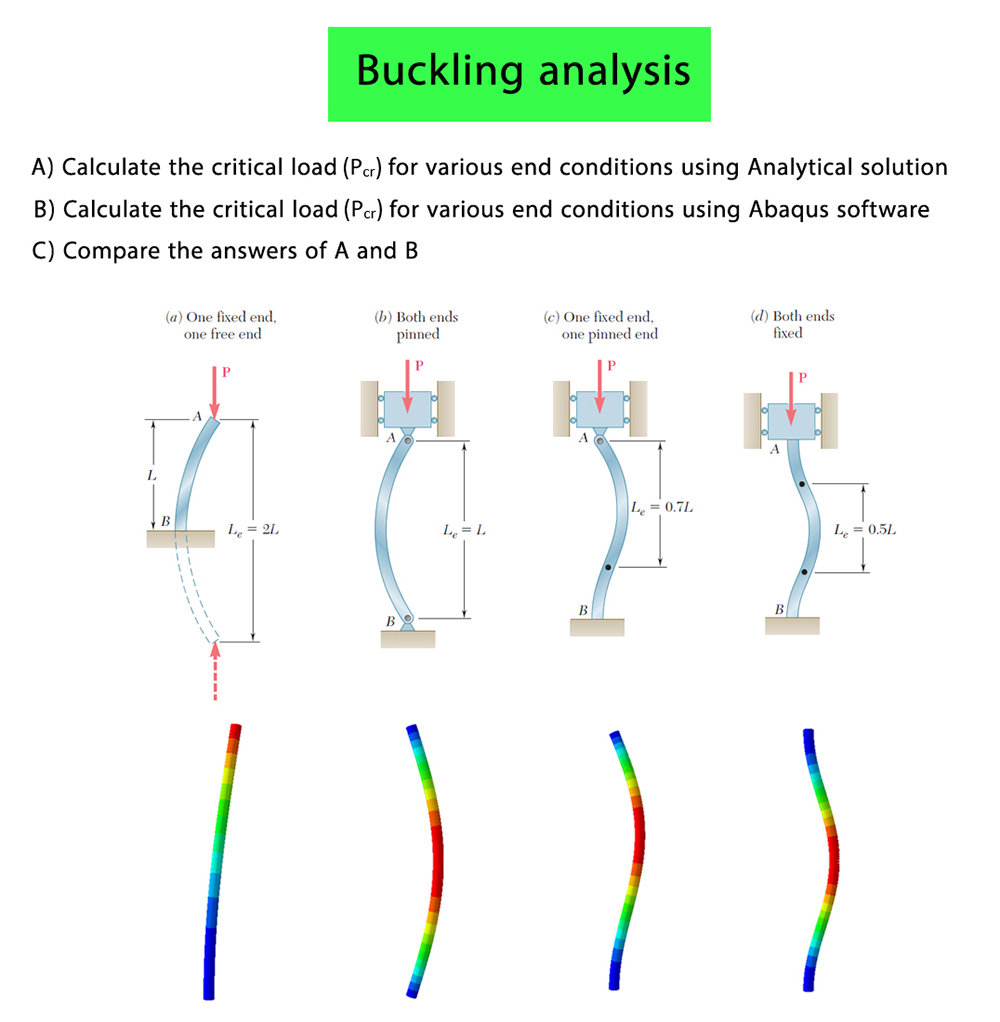
Model (a): One Fixed End and One Free End
In this case, the bottom of the column is fixed, while the top section of the column is free. The critical buckling load is calculated for this end condition.
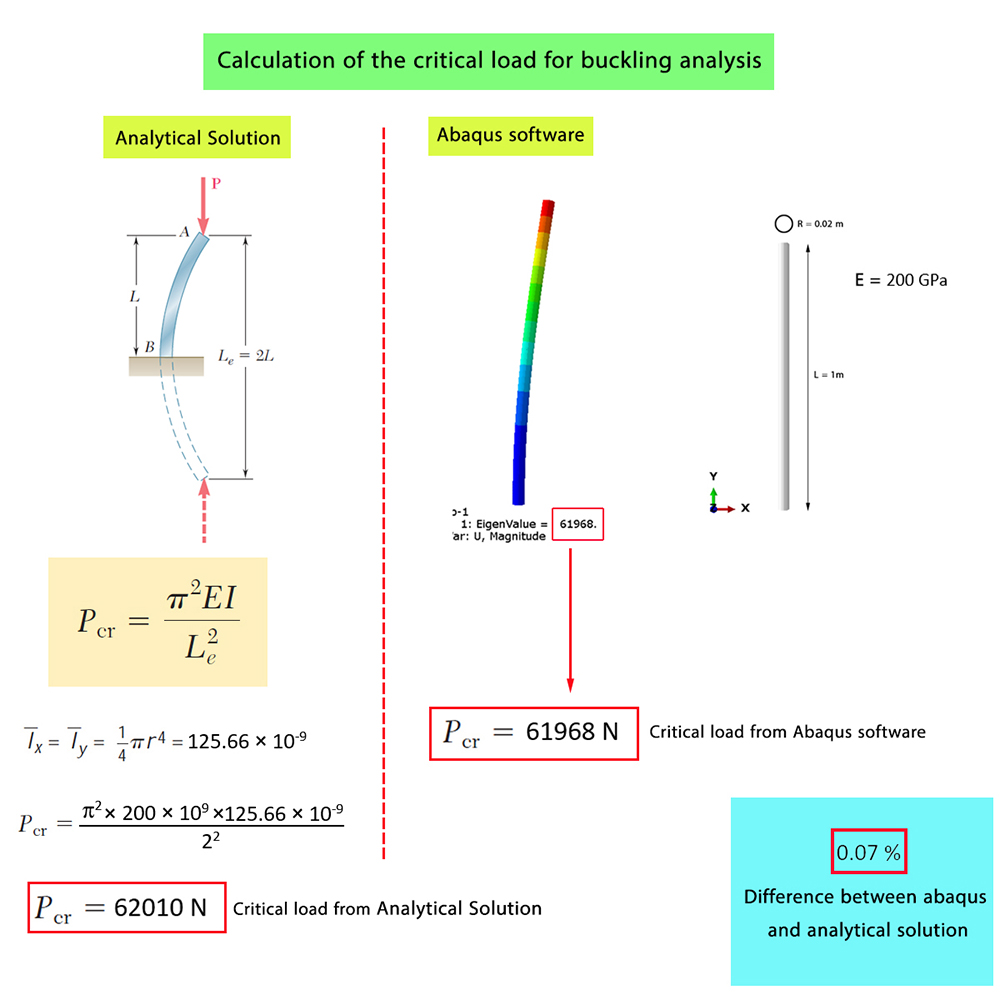
Model (b): Both Ends Pinned
In this case, both the top and bottom ends of the column are hinged. The critical buckling load is then determined for this boundary condition.
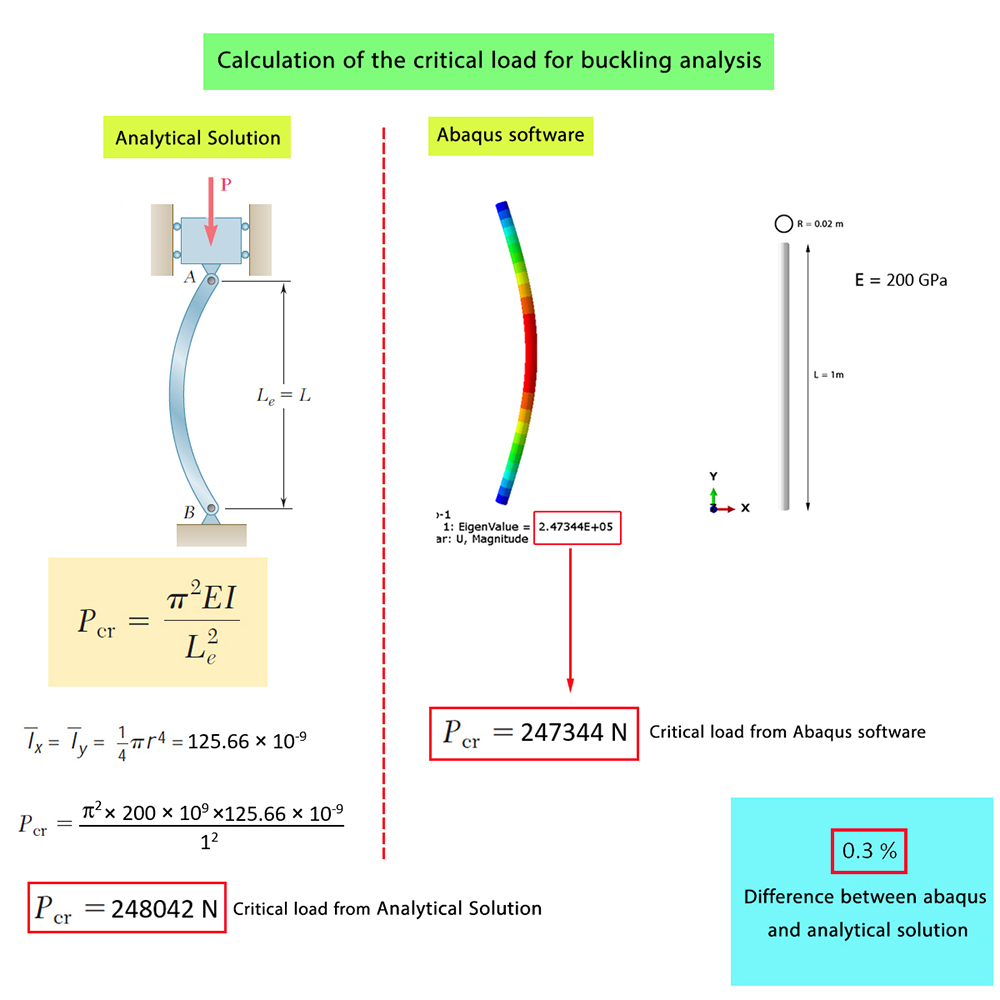
Model (c): One Fixed End and One Pinned End
In this model, the bottom of the column is fixed, while a hinged boundary condition is applied at the top of the column.
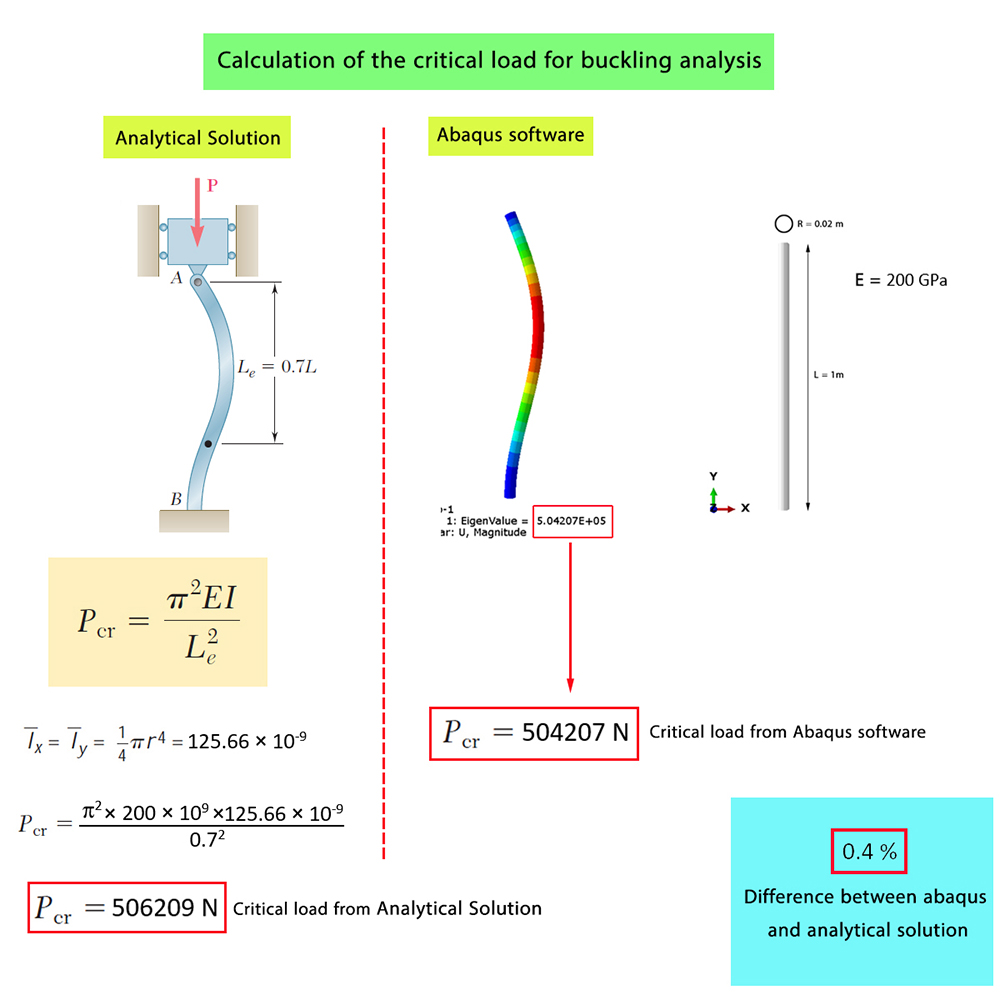
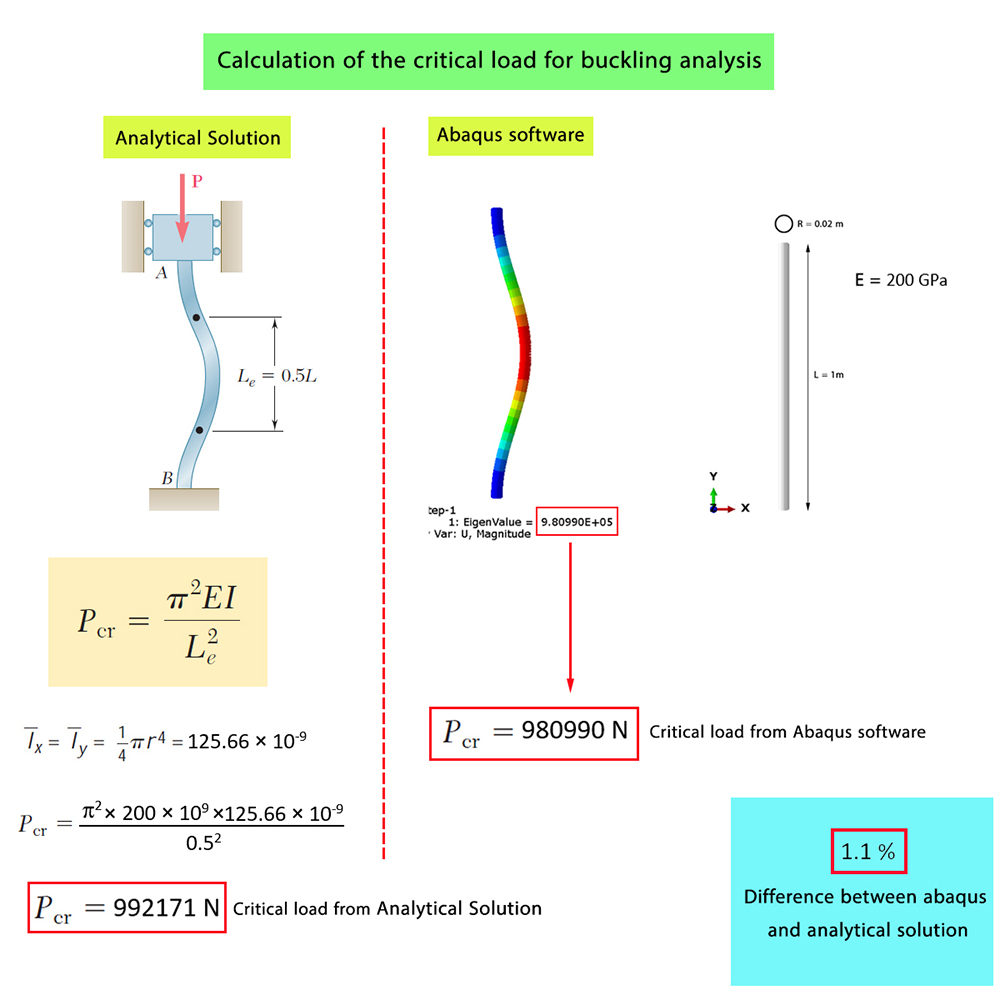
Model (d): Both Ends Fixed
In this case, the bottom of the column is fixed, while the top section of the column is allowed to move only in the Y direction.
Analytical Solution
The critical buckling load is calculated for each end condition using the Analytical Solution. These analytical results are then used as a reference for evaluating the Abaqus results.
Abaqus Simulation
The four column models are then simulated in the Abaqus software using the corresponding end conditions. The critical buckling load is obtained from the Abaqus results for each case.
Comparison of Results
Finally, the critical buckling loads obtained from the Abaqus software are compared with those obtained from the Analytical Solution for all four end conditions.
As observed, the results obtained from the Abaqus software are very close to those obtained from the Analytical Solution.
What You Will Learn
- How to model column buckling in Abaqus.
- How to define different end conditions for a column.
- How to model fixed and pinned boundary conditions.
- How to calculate the critical buckling load using Abaqus.
- How to calculate the critical buckling load using the Analytical Solution.
- How to compare Abaqus results with the Analytical Solution.
Key Features
- Column buckling analysis.
- Four different end conditions.
- Column height of 1 m.
- Circular cross-section with a radius of 0.02 m.
- One fixed end and one free end.
- Both ends pinned.
- One fixed end and one pinned end.
- Both ends fixed.
- Critical buckling load calculation.
- Analytical Solution.
- Abaqus numerical simulation.
- Comparison of Abaqus and Analytical Solution results.
- Free Abaqus tutorial.
Project Information
Important information about this project
Payment & Support
Need help with this tutorial?
Free Tutorial
This Abaqus tutorial is available free of charge.
Need Help?
If you have any questions about this tutorial, please contact us by email.
saeedofmoeini@gmail.com
There are no reviews yet.