
Project Overview
In this Abaqus project, you will learn how to generate the tool path for the Incremental Sheet Forming (ISF) process of a hyperbolic cone using MATLAB and Abaqus.
The main objective of this project is to define the movement of the forming tool using MATLAB and then use the generated tool-path data in the Abaqus simulation.
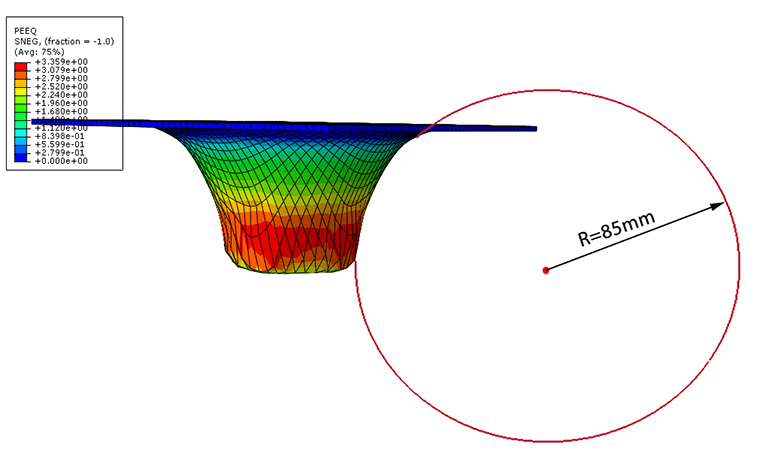
Incremental sheet forming model of the hyperbolic cone.
Incremental Sheet Forming of a Hyperbolic Cone
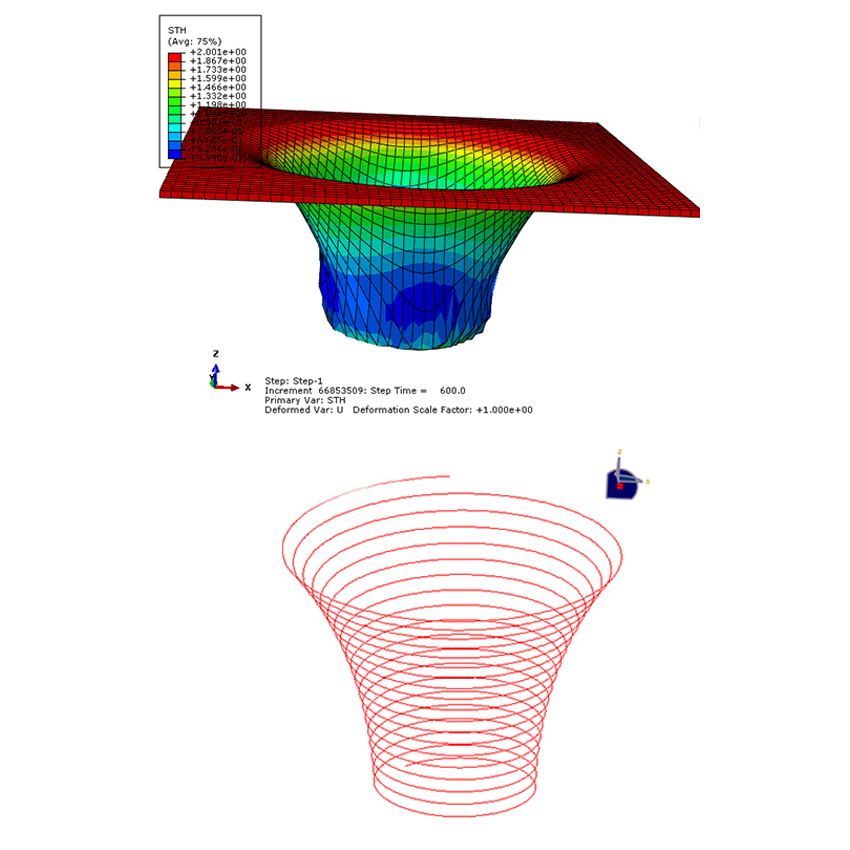
In this example, the incremental sheet forming process is performed to form a hyperbolic cone. The forming tool moves progressively over the sheet and gradually produces the desired shape.
The tool follows a spiral path during the forming process. This movement allows the sheet to be formed gradually throughout the simulation.

Spiral path followed by the forming tool.
Hyperbolic Cone Geometry
The dimensions and geometry of the hyperbolic cone are defined as part of the model. The geometric dimensions are used to generate the appropriate tool path for the forming process.
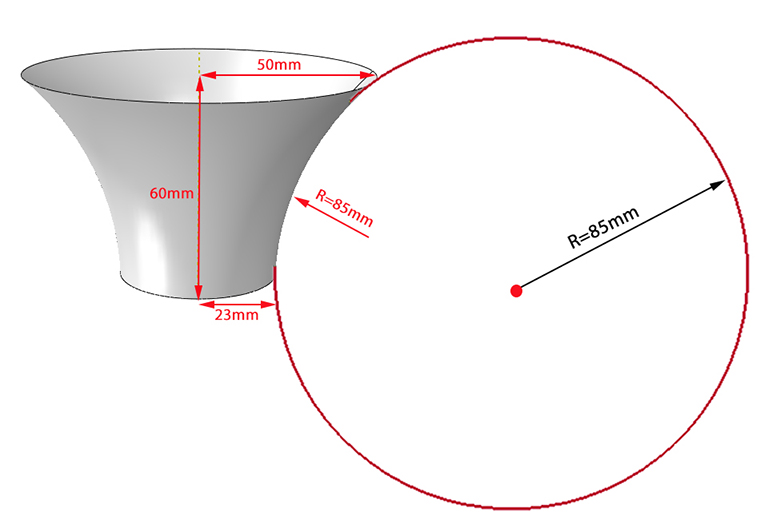
Dimensions and geometry of the hyperbolic cone.
Generating the Tool Path Using MATLAB
MATLAB is used to define the movement of the forming tool along the spiral path. The required tool-path data is generated using MATLAB and is subsequently transferred to Excel for use in Abaqus.
Step 1 – Define the Time Period
In the first step, the time period of the tool movement is defined using MATLAB. In this example, the time period is 600 seconds.

Defining the time period of the tool movement using MATLAB.
Step 2 – Export MATLAB Data to Excel
After generating the required data in MATLAB, the data is exported to Excel. The Excel data is then used in the subsequent steps to define the tool movement in Abaqus.
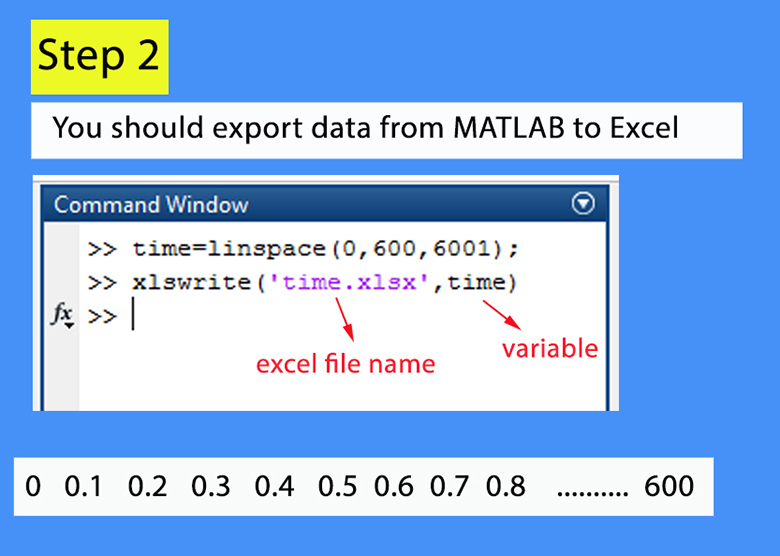
Exporting the generated tool-path data from MATLAB to Excel.
Steps 3 to 5 – Defining the Complete Tool Path
The remaining steps required to generate and define the complete tool path are explained in the full step-by-step training video. These steps complete the procedure for implementing the generated tool movement in the Abaqus model.
Tool Path Data
The generated tool-path information is provided in Excel files containing the X, Y, and Z amplitude data used to define the movement of the forming tool.
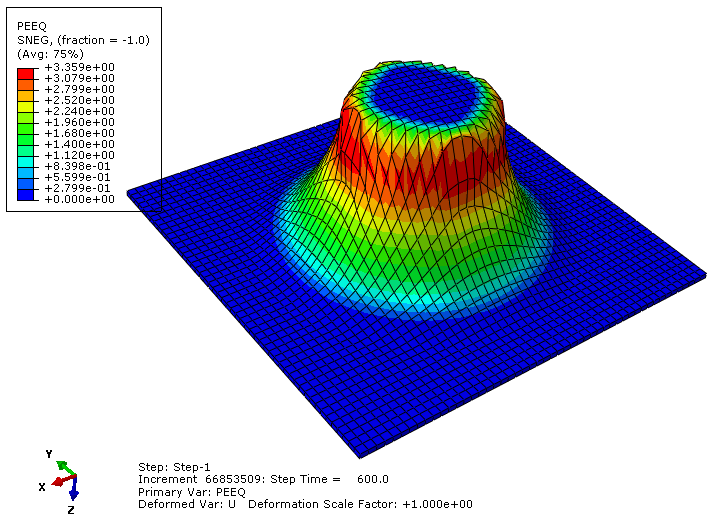
Deformation of the model.
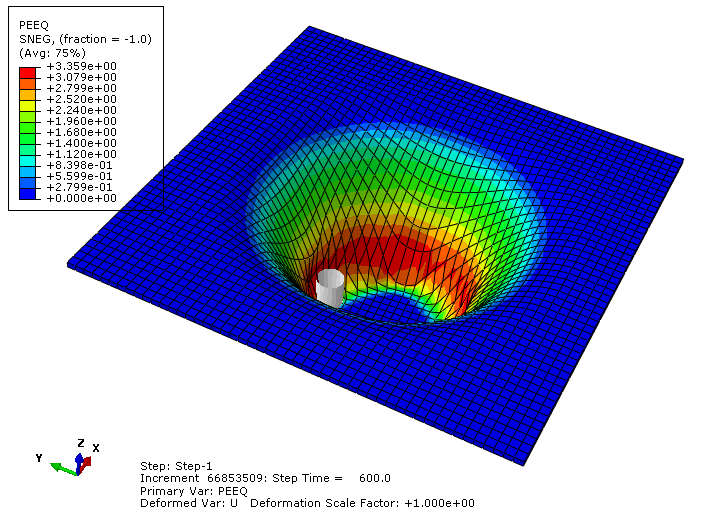
Deformation of the model.
What You Will Learn
- How to model incremental sheet forming of a hyperbolic cone in Abaqus.
- How to generate a spiral tool path.
- How to define the tool movement using MATLAB.
- How to define the time period of the tool movement.
- How to export MATLAB data to Excel.
- How to generate tool-path data for the forming process.
- How to use X, Y, and Z amplitude data in Abaqus.
- How to define the movement of the forming tool in Abaqus.
Key Features
- Incremental Sheet Forming (ISF) simulation.
- Hyperbolic cone forming.
- Spiral tool path.
- MATLAB-based tool-path generation.
- Excel-based X, Y, and Z amplitude data.
- Tool movement definition in Abaqus.
- 600-second time period.
- MATLAB file.
- Excel tool-path files.
- Excel material file.
- Abaqus CAE file.
- Abaqus INP file.
- Step-by-step training video.
Project Information
Important information about this project
Payment & Support
Need help with your purchase?
Secure Payment
Your payment is processed securely through our online payment system.
Need Help?
If you have any questions about this product, please contact us by email.
saeedofmoeini@gmail.com
There are no reviews yet.