
Project Overview
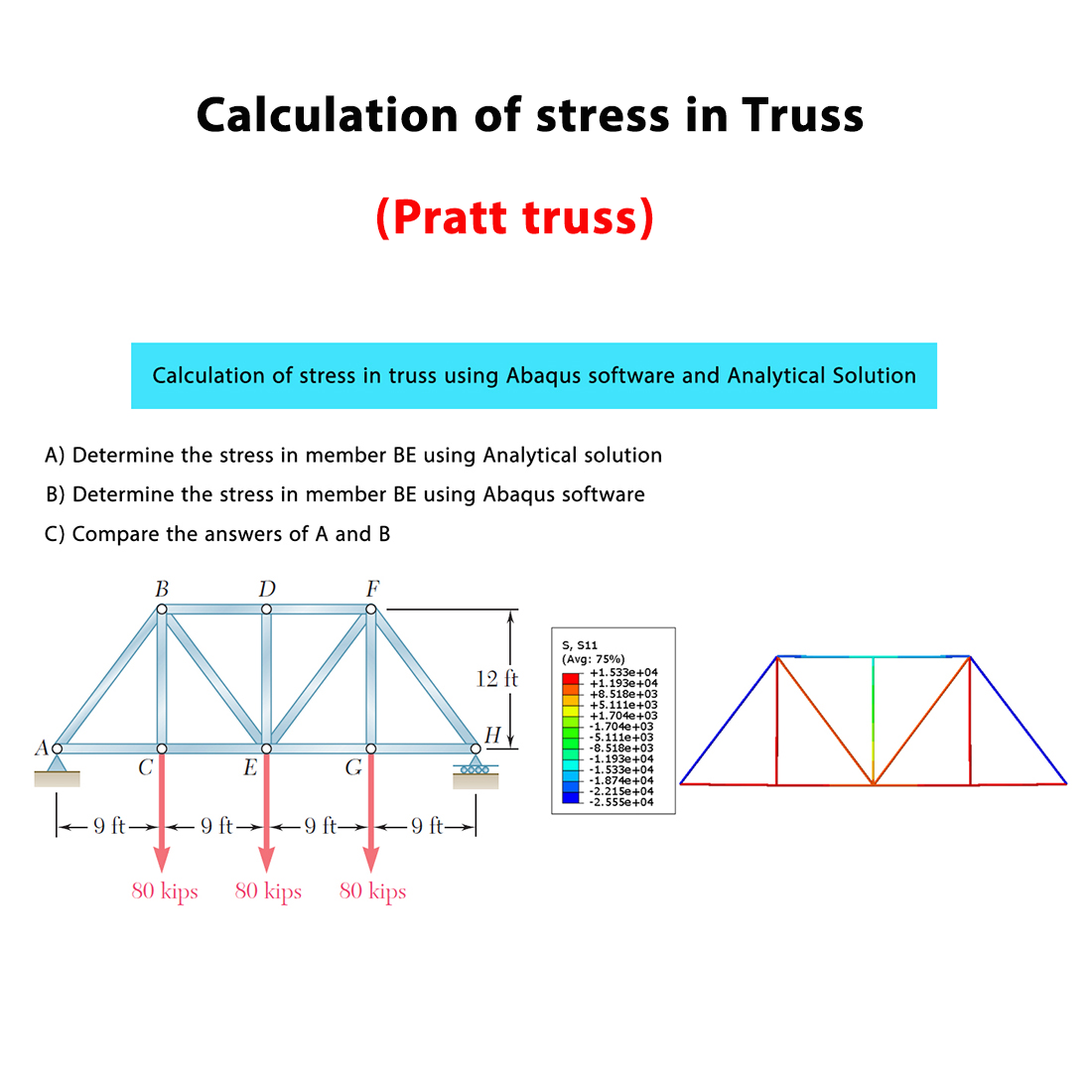
This Abaqus tutorial is designed to help you understand how to calculate the stress in a truss using the Abaqus software and the Analytical Solution.
In this example, we calculate the stress in member BE using the Analytical Solution and the Abaqus software. Finally, the results obtained from both methods are compared together.
Problem Description
The structure considered in this problem is a Pratt truss, consisting of horizontal, vertical, and diagonal members. In a conventional Pratt truss under downward loading, the diagonal members are mainly subjected to tension, while the vertical members are mainly subjected to compression. This configuration provides an efficient way to transfer the applied loads through the truss structure.

Analytical Solution
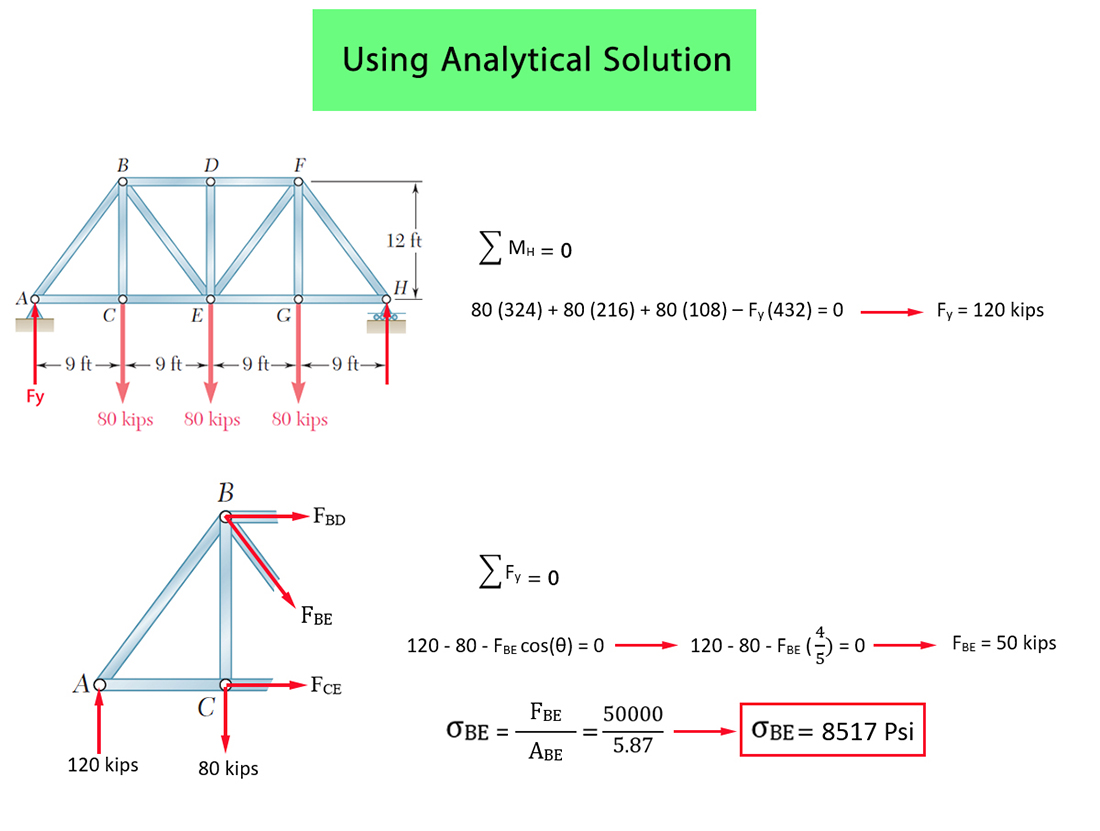
First, the truss is analyzed using the Analytical Solution. The required internal force in member BE is determined, and then the stress in this member is calculated.
The stress in member BE obtained from the Analytical Solution is equal to 8517 psi.
Abaqus Simulation
Next, the same truss structure is modeled and analyzed using the Abaqus software. The stress in member BE is obtained from the Abaqus results.
The stress in member BE obtained from the Abaqus software is equal to 8517.89 psi.

Comparison of Results
Finally, the stress in member BE obtained from the Abaqus software is compared with the result obtained from the Analytical Solution.
The stress obtained from the Analytical Solution is 8517 psi, while the stress obtained from Abaqus is 8517.89 psi.
As observed, the results obtained from the Abaqus software are in very close agreement with those obtained from the Analytical Solution.
What You Will Learn
- How to model a truss structure in Abaqus.
- How to calculate the stress in a truss member.
- How to determine the stress in member BE using the Analytical Solution.
- How to obtain the stress in member BE from Abaqus.
- How to compare Abaqus results with the Analytical Solution.
Key Features
- Truss stress analysis.
- Stress calculation in member BE.
- Analytical Solution.
- Abaqus numerical simulation.
- Analytical Solution result = 8517 psi.
- Abaqus result = 8517.89 psi.
- Comparison between Abaqus and Analytical Solution.
- Free Abaqus tutorial.
Project Information
Important information about this project
Payment & Support
Need help with this tutorial?
Free Tutorial
This Abaqus tutorial is available free of charge.
Need Help?
If you have any questions about this tutorial, please contact us by email.
saeedofmoeini@gmail.com
There are no reviews yet.