
Project Overview
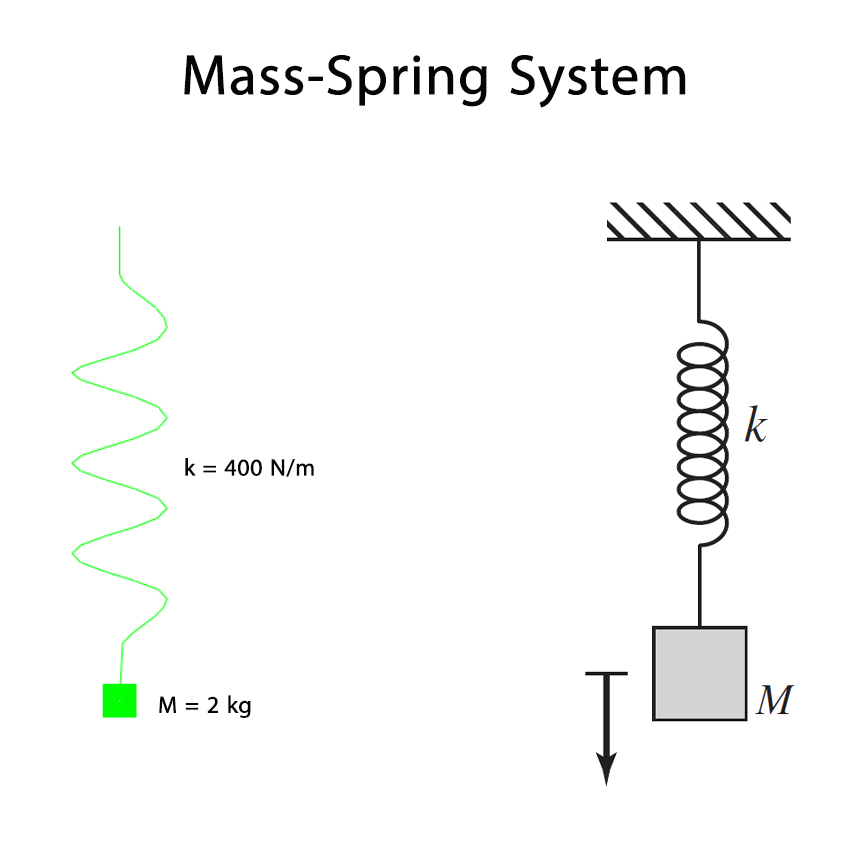
In this Abaqus tutorial, the period of a mass-spring system is calculated using both the analytical solution and the Abaqus software.
The main objective of this tutorial is to first calculate the period of the mass-spring system using the analytical solution, then obtain the period using Abaqus, and finally compare the results obtained from both approaches.
Mass-Spring System
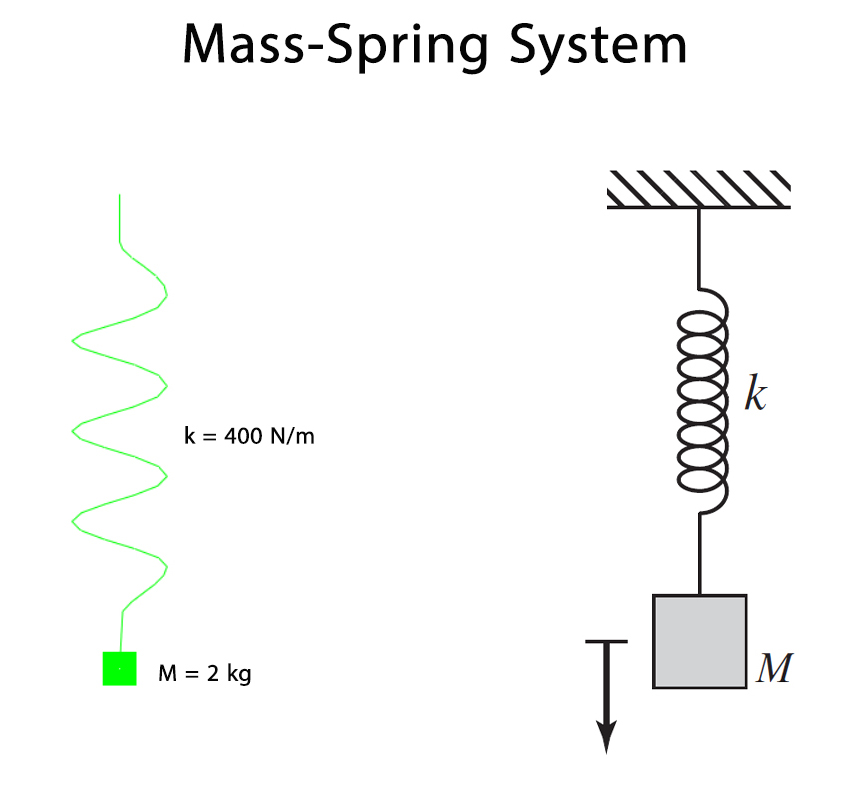
In this problem, the stiffness of the spring (k) is 400 N/m, and the concentrated mass is 2 kg.
These parameters are used to determine the period of the mass-spring system using the analytical solution and Abaqus.
Calculation of the Period
The period is the time required for the system to complete one full oscillation, or in other words, the time required for the system to return to its initial state.
First, the period of the mass-spring system is calculated using the analytical solution. Following that, the same system is modeled in Abaqus and its period is obtained from the numerical simulation.
Analytical Solution
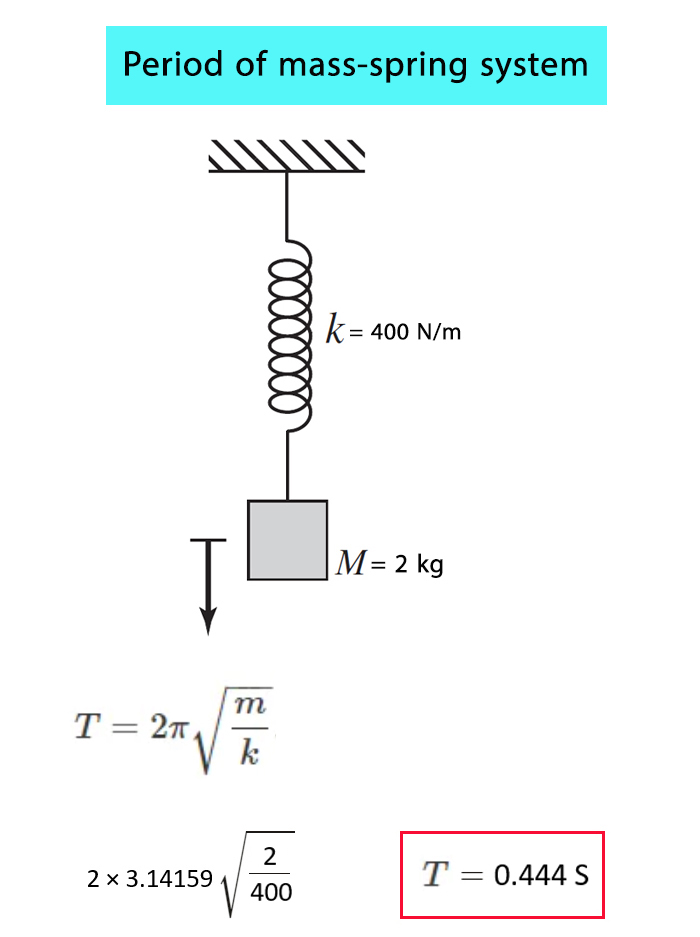
First, the period of the mass-spring system is calculated using the analytical solution. The spring stiffness is 400 N/m and the concentrated mass is 2 kg.
Based on these values, the period of the mass-spring system is calculated as 0.444 seconds.
This analytical result is used as a reference for comparison with the period obtained from the Abaqus simulation.
Obtaining the Period in Abaqus
To obtain the period of the mass-spring system, a Dynamic, Explicit analysis is performed in Abaqus.
The weight of the 2 kg mass is considered in the model, allowing the pendulum to undergo free vibration. The resulting motion of the mass is recorded during the dynamic analysis.
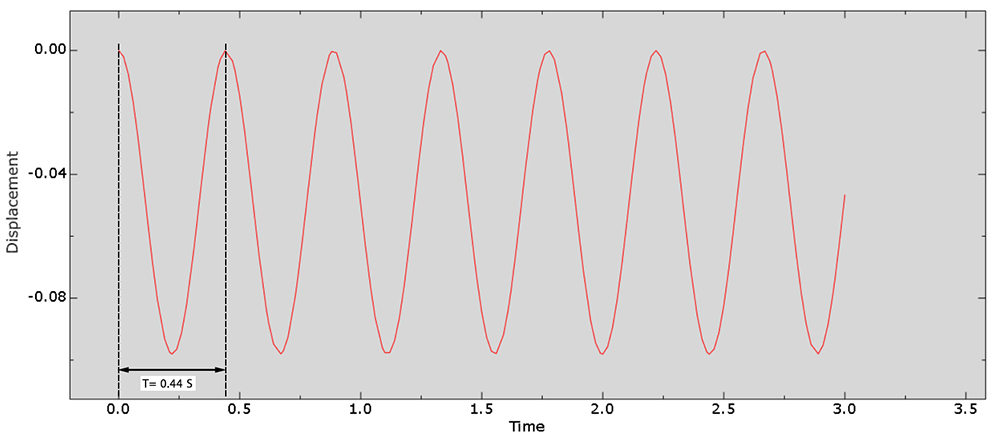
The displacement-time response of the 2 kg mass is then plotted. The period of the system can be determined from this plot by measuring the time interval between two consecutive points representing the same stage of the oscillation.
The period obtained from the Abaqus software is 0.44 seconds.
Comparison of Analytical and Abaqus Results
The period of the mass-spring system obtained from the analytical solution is 0.444 seconds.
The period obtained from the Abaqus software is 0.44 seconds.
As observed from the results, the period obtained from Abaqus is in very good agreement with the result obtained from the analytical solution.
What You Will Learn
- How to model a mass-spring system in Abaqus.
- How to define a concentrated mass.
- How to define the stiffness of a spring.
- How to calculate the period using the analytical solution.
- How to obtain the period from an Abaqus simulation.
- How to compare Abaqus results with an analytical solution.
- How to evaluate the accuracy of a simple dynamic model using an analytical solution.
Key Features
- Mass-spring system.
- Period calculation.
- Analytical solution.
- Abaqus numerical simulation.
- Comparison between analytical and Abaqus results.
- Free Abaqus tutorial.
- Step-by-step video tutorial.
Project Information
Important information about this project
Payment & Support
Need help with this tutorial?
Free Tutorial
This Abaqus tutorial is available free of charge.
Need Help?
If you have any questions about this tutorial, please contact us by email.
saeedofmoeini@gmail.com
There are no reviews yet.