
Product Overview
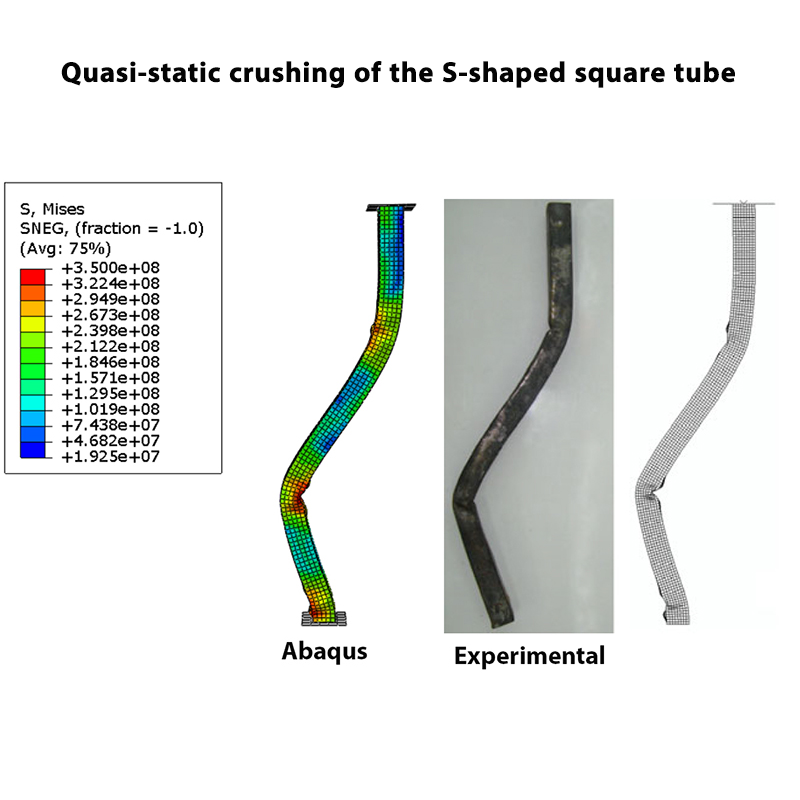
In this example, we simulate the quasi-static crushing of an S-shaped square tube using the Abaqus software.
The tube is made of mild steel. Its cross-section is square-like, while the overall geometry is in the form of an S-shaped tube. A compressive load is applied to the top of the tube, causing progressive deformation and crushing.
The upper end of the tube is connected to a rigid loading surface, while the lower end is constrained. The rigid surface is used to apply the compressive displacement to the tube during the crushing simulation.
Quasi-Static Loading
Since this is a quasi-static crushing problem, the axial compressive load is applied at a sufficiently low speed so that the response of the structure can be considered quasi-static.
In the model, a slow loading velocity is used to apply the compression to the top of the tube and to obtain the crushing response without introducing significant dynamic effects.
Crushing Behavior
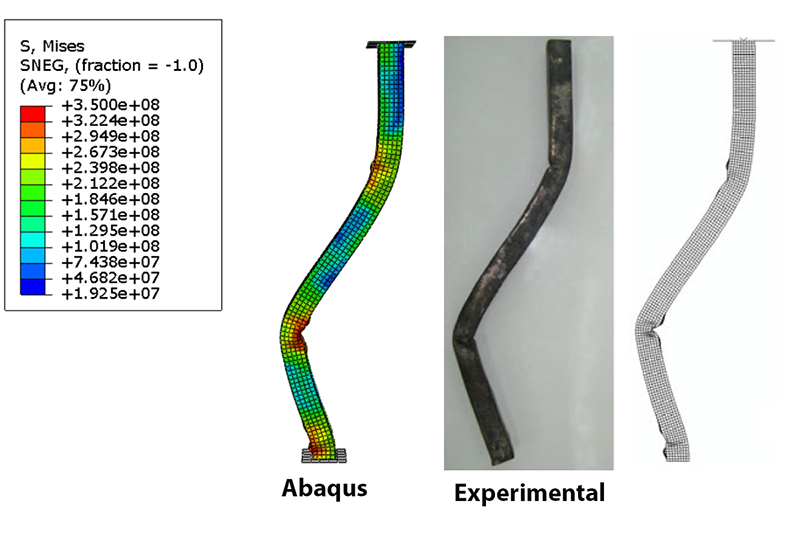
During the crushing process, the S-shaped square tube undergoes large deformation and progressive plastic collapse under axial compression.
As the compressive displacement increases, plastic deformation develops mainly in the curved and straight portions of the tube. The deformation progressively develops into plastic folding and localized deformation around the plastic hinge regions.
Force-Displacement Diagram
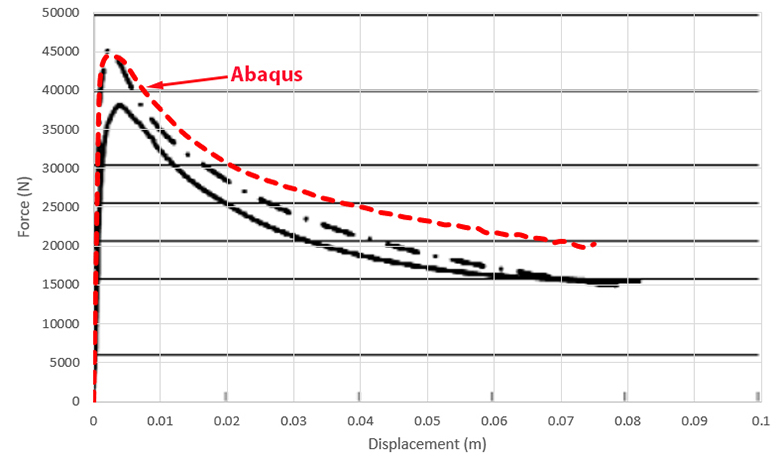
The numerical force-displacement response is compared with the corresponding experimental results reported in the reference study.
At the beginning of the loading process, the reaction force increases rapidly with increasing displacement, corresponding to the elastic deformation stage. As the material reaches its yield point, plastic collapse begins and the crushing deformation develops progressively.
After the onset of plastic collapse, the reaction force decreases as the displacement continues to increase. The numerical and experimental results show reasonable agreement in the overall load-displacement response, indicating that the Abaqus model captures the main characteristics of the crushing behavior observed in the experiments.
The force-displacement diagram obtained from Abaqus are compared with the experimental results to evaluate the accuracy of the numerical model.
Validation
This project has been validated by comparing the results obtained from the Abaqus software with the results reported in the reference article.
The comparison demonstrates that the numerical model can reproduce the crushing response of the S-shaped square tube with good agreement with the reported experimental behavior.
Reference
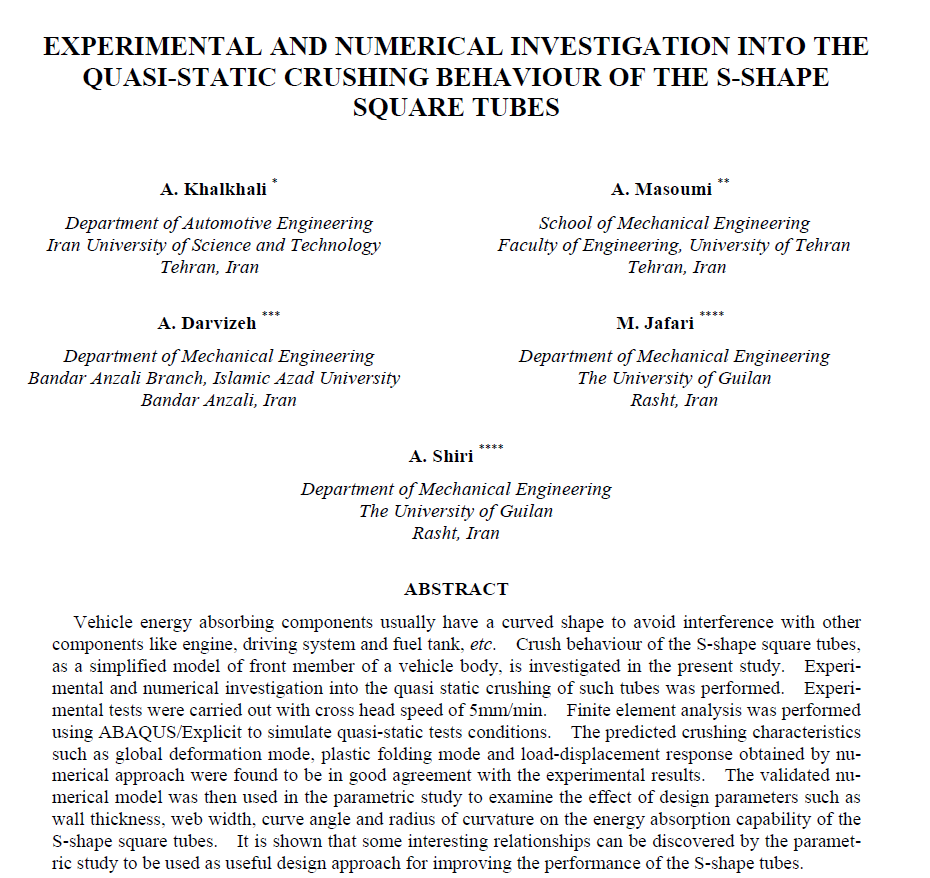
This project is based on a research article dealing with the crushing behavior of the S-shaped square tube. The numerical results are compared with the reported experimental results for validation.

What You Will Learn
- How to model an S-shaped square tube in Abaqus.
- How to simulate quasi-static crushing of a steel tube.
- How to define the material behavior of milled steel.
- How to use true stress-strain data for plastic material definition.
- How to apply slow compressive loading in a quasi-static problem.
- How to investigate the crushing deformation of the tube.
- How to obtain the force-displacement response from Abaqus.
- How to compare Abaqus results with experimental results.
- How to validate a numerical model using published research results.
Key Features
- Quasi-static crushing simulation in Abaqus.
- S-shaped square tube geometry.
- Milled steel material.
- Compressive loading.
- Progressive crushing and deformation analysis.
- True stress-strain material data.
- Force-displacement diagram.
- Comparison with experimental results.
- Validation against a research article.
- Complete Abaqus model files.
- Step-by-step video tutorial.
Project Information
Important information about this project
Payment & Support
Need help with this tutorial?
Free Tutorial
This Abaqus tutorial is available free of charge.
Need Help?
If you have any questions about this tutorial, please contact us by email.
saeedofmoeini@gmail.com
Tomas(verified owner)
Very good modeling
Sikara
Very interesting results, exactly like the test sample
AMIT K SINGH
Dear Sir
Thank you for this informative tutorial.
Could you send me some technical details about the input properties of the materials?
1. The plastic strain value corresponding to 350 MPa is 0.25. How do you calculate this value from a given stress-strain graph?
2. Velocity boundary condition is 0.025m/s. How do you calculate this value?
Admin
Hello
For plastic properties, you must use the strain-stress diagram and extract the yield stress to the ultimate stress from the diagram
350 Mpa is ultimate stress
This is a quasi-static issue, so loading should be done slowly, and this slow speed is indicative of the same
AMIT K SINGH
Thank you for your valuable information.
Sir, please explain the following input information.
1. For Dynamic Explicit in Abaqus, I should consider engineering stress-strain or true stress-strain curves for data extraction?
2. Also we required plastic strain instead of true or engineering strain in the plastic module of Abaqus.
Could you please explain how strain 0.25 is considered corresponding to ultimate stress value of 350Mpa?
Admin
true stress-strain
If you look at the diagram, you will notice that the stress corresponding to the strain of 0.25 is 350 MPa