Price 20

ABAQUS COURSE INCREMENTAL SHEET FORMING

Incremental Sheet Forming Analysis in Abaqus

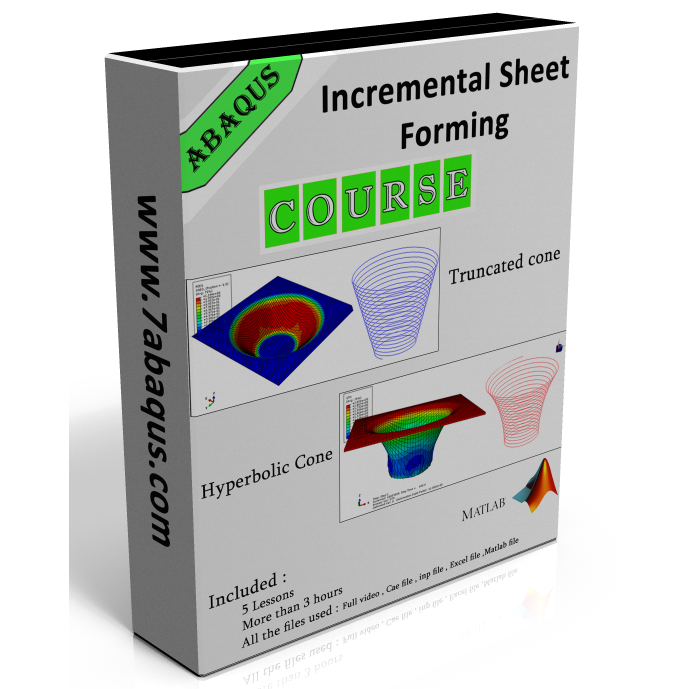
A complete practical course covering 5 practical projects in Incremental Sheet Forming analysis using Abaqus and MATLAB.

5 Projects
193+ Minutes
Practical
✓ Includes Abaqus and MATLAB tool-path modeling
Incremental Sheet Forming Abaqus Simulation
ABAQUS SIMULATION Incremental Sheet Forming
COURSE OVERVIEW

Learn Incremental Sheet Forming Modeling Through Practical Abaqus and MATLAB Projects

This course provides a practical approach to modeling and analyzing Incremental Sheet Forming (ISF) in Abaqus. It is designed for students, researchers, and engineers who want to understand how incremental sheet forming processes can be developed in a finite element model and how the forming process can be analyzed using Abaqus and MATLAB.

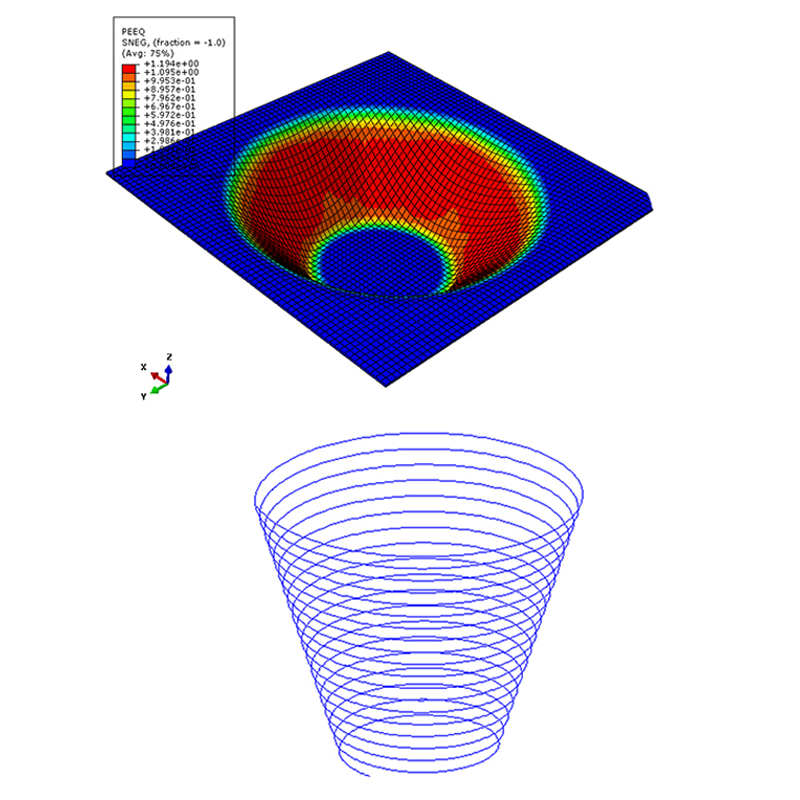
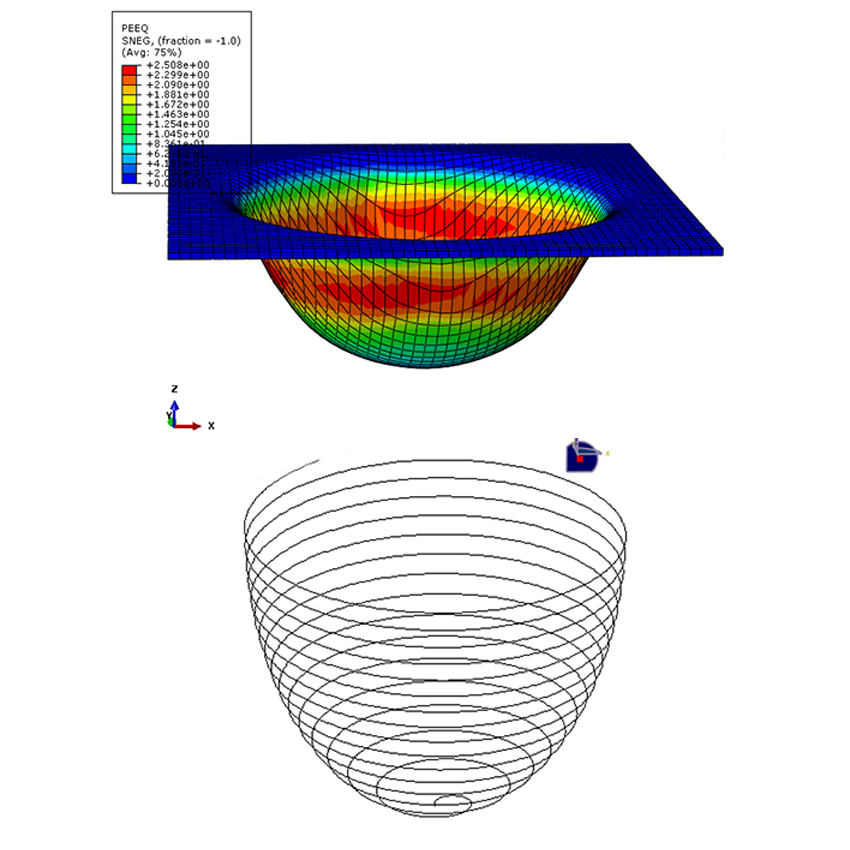
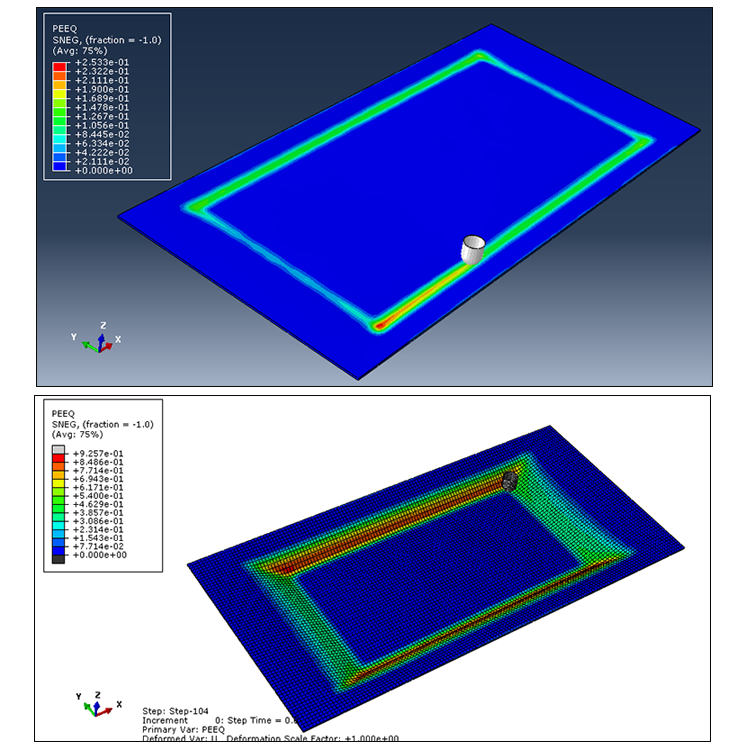
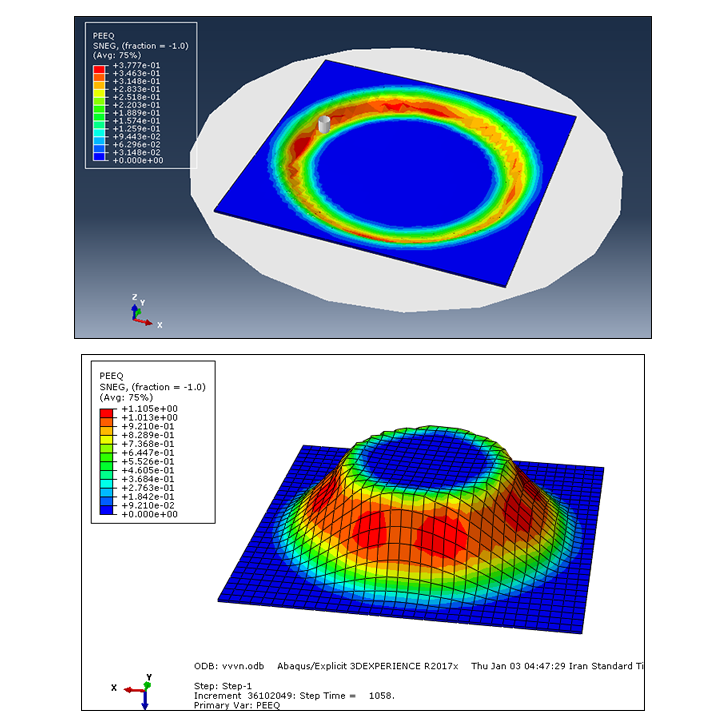
Throughout the course, you will work through 5 practical Abaqus projects covering different Incremental Sheet Forming configurations and forming geometries. The projects include truncated cones, hemispherical shapes, hyperbolic cones, and truncated pyramids. Through these examples, you will learn how to create the model, define material properties and contact interactions, apply boundary conditions, generate suitable meshes, and perform the forming analysis in Abaqus.

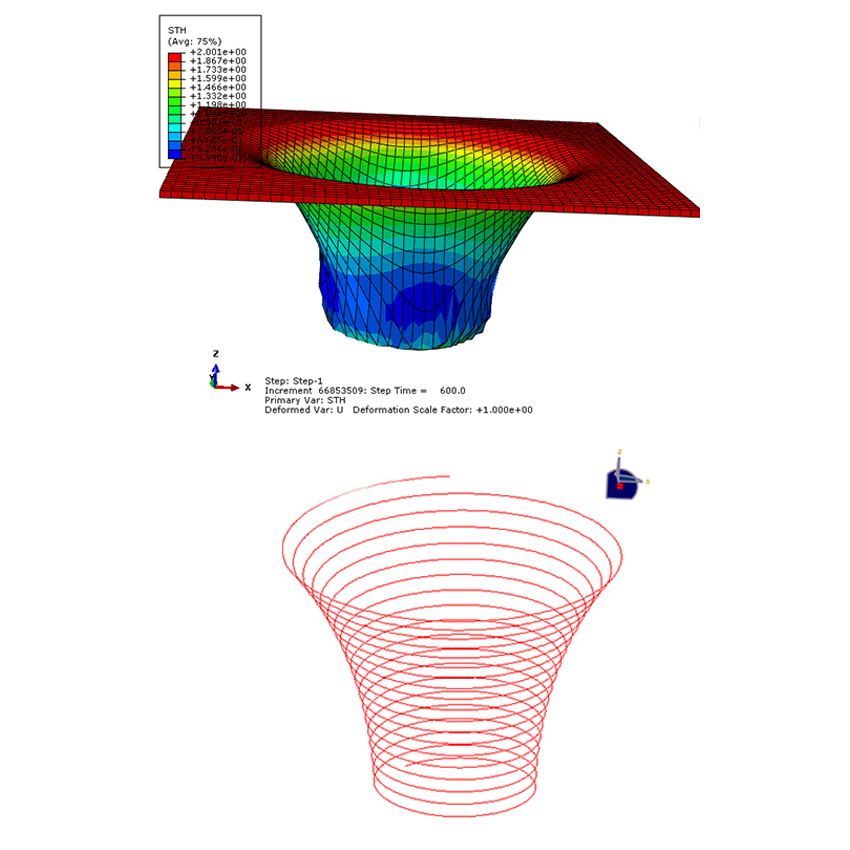
A key part of the course is the use of MATLAB for tool-path generation. You will learn how to define the tool movement and generate the required tool-path data using MATLAB. The generated coordinates can then be transferred through Excel and used to define the tool motion in Abaqus, allowing you to simulate the gradual deformation of the sheet during the forming process.

The course covers a variety of Incremental Sheet Forming geometries and modeling approaches. You will investigate different sheet shapes and tool paths, including truncated cones, hemispheres, hyperbolic cones, and truncated pyramids. These examples help you understand how changes in geometry and tool movement can be implemented in an Abaqus finite element model.

Another important feature of the course is its focus on complete practical modeling workflows. Instead of focusing only on individual Abaqus features, the projects take you through the complete process from defining the geometry and materials to creating the tool path, defining contact conditions, applying the required motion, meshing the model, and running the analysis.

The course also provides the supporting files required to reproduce the projects. Depending on the project, you will work with Abaqus CAE and INP files, Excel files, MATLAB files, and material data. These files allow you to follow the modeling process more easily and use the developed models as a starting point for your own Incremental Sheet Forming simulations and research projects.

By completing this course, you will gain practical experience in modeling and analyzing Incremental Sheet Forming processes in Abaqus, while also learning how to generate and implement tool paths using MATLAB and Excel through 5 complete practical projects.

✓ 5 PROJECTS INCLUDED

All 5 Projects — Included in the Course

Get access to all 5 practical Incremental Sheet Forming projects included in this Abaqus and MATLAB course.
WHAT YOU WILL LEARN

What You Will Learn in Abaqus

Develop the practical skills needed to simulate Incremental Sheet Forming using Abaqus and MATLAB through step-by-step forming projects.

From tool path generation to forming simulation
01
FOUNDATION

ISF Model Setup

Create the sheet, forming tool, and required geometry in Abaqus and prepare the model for incremental forming.

02
TOOL PATH

MATLAB Tool Path Generation

Generate forming tool paths using MATLAB and prepare X, Y, and Z coordinate data for use in Abaqus.

03
DATA TRANSFER

MATLAB, Excel & Abaqus

Transfer the generated tool path data from MATLAB to Excel and define the tool motion in Abaqus.

04
SIMULATION

Incremental Forming Analysis

Simulate the gradual forming process as the tool moves along a spiral path and progressively deforms the sheet.

05
APPLICATION

Different Forming Geometries

Apply the workflow to practical ISF and SPIF cases, including cones, hemispherical shapes, hyperbolic cones, and truncated pyramids.

COURSE PACKAGE

What's Included

Everything you need to follow the Incremental Sheet Forming projects and reproduce the Abaqus simulations using MATLAB and the provided project files.

CAE

Complete Abaqus Models

Ready-to-use CAE files of the Incremental Sheet Forming projects.

INP

Abaqus Input Files

Complete INP files for running the forming simulations in Abaqus.

MAT

MATLAB Files

MATLAB files used to generate the forming tool paths.

XL

Tool Path Excel Files

Excel files containing X, Y, and Z tool path data for Abaqus.

XL

Material Data

Excel files containing the material data used in the simulations.

Video Tutorials

Step-by-step video tutorials covering all five forming projects.

WHY THIS COURSE

Learn Through Practical Projects

Go beyond basic Abaqus tutorials and learn how Incremental Sheet Forming is modeled using practical Abaqus and MATLAB projects.

01

Abaqus + MATLAB

Learn how Abaqus and MATLAB work together to simulate Incremental Sheet Forming.

02

Tool Path Generation

Generate forming tool paths in MATLAB and prepare the X, Y, and Z data for Abaqus.

03

Practical Projects

Work through five practical forming projects with different sheet geometries.

04

Ready-to-Use Files

Get the CAE, INP, MATLAB, Excel, and material files needed to follow the projects.

WHO IS THIS FOR?

Built for Practical Learning

Whether you are studying, working on a research project, or developing your Abaqus skills, this course helps you learn Incremental Sheet Forming through practical Abaqus and MATLAB projects.

01

Students

Learn Incremental Sheet Forming through practical projects and understand how Abaqus and MATLAB work together in the forming process.

02

Researchers

Build practical ISF models for research projects and learn how to generate and apply forming tool paths in Abaqus.

03

Mechanical Engineers

Develop practical skills in sheet metal forming simulation and learn how MATLAB-generated tool paths can be used in Abaqus.

FREQUENTLY ASKED QUESTIONS

Questions? We've Got Answers.

Find answers to the most common questions about the course, files, Abaqus version, and access.

What Abaqus version is used in this course? +
The models in this course were developed using Abaqus 2017.
Do I need previous Abaqus experience? +
Basic knowledge of Abaqus and structural analysis is recommended. You do not need advanced experience to follow the projects.
Are the CAE and INP files included? +
Yes. The course package includes the CAE model and INP file required for the analysis.
Is the research paper included? +
Yes. The reference research paper used for the project is included with the course files.
Can I use the files with a newer Abaqus version? +
Yes. The models were created in Abaqus 2017. You can also open CAE files in newer versions of Abaqus.
How will I receive the course files? +
After completing your purchase, the download links will be sent to your email immediately.
LIFETIME BENEFIT

Lifetime Access. Free Updates.

Once you purchase the course, you will receive all future course updates at no additional cost.

FREE FUTURE UPDATES
AFTER PURCHASE

You're Not On Your Own.

If you need help with the included Abaqus models or course materials, you can contact us after your purchase for assistance.

01

Purchase

Get access to the complete course and included files.

02

Work With the Models

Follow the tutorials and use the included Abaqus files.

03

Get Support

Contact us if you have questions about the included models or course materials.

Support is available after your purchase.

chat_bubble_outlineReviews

There are no reviews yet.

Be the first to review “Incremental Sheet Forming Course in Abaqus”

Your email address will not be published. Required fields are marked *